

You drop into a mission at smooth 60 FPS. Ten minutes later the frame rate tanks to 20, stuttering so bad you cannot aim. Audio glitches. The game freezes for full seconds. Your entire PC feels sluggish even after you close Helldivers 2.
This guide shows how to fix Helldivers 2 lag, freezing, and stuttering on PC. You will learn about the controller input bug causing system-wide performance crashes, graphics optimization for stable frame rates, shader cache fixes, and network troubleshooting for disconnections.
Fix Helldivers 2 Lag and Freezing: Start Here
Most performance problems come from three specific issues you can fix in under 10 minutes.
Critical Fixes for Helldivers 2 Performance
Fix Controller Input Stuttering
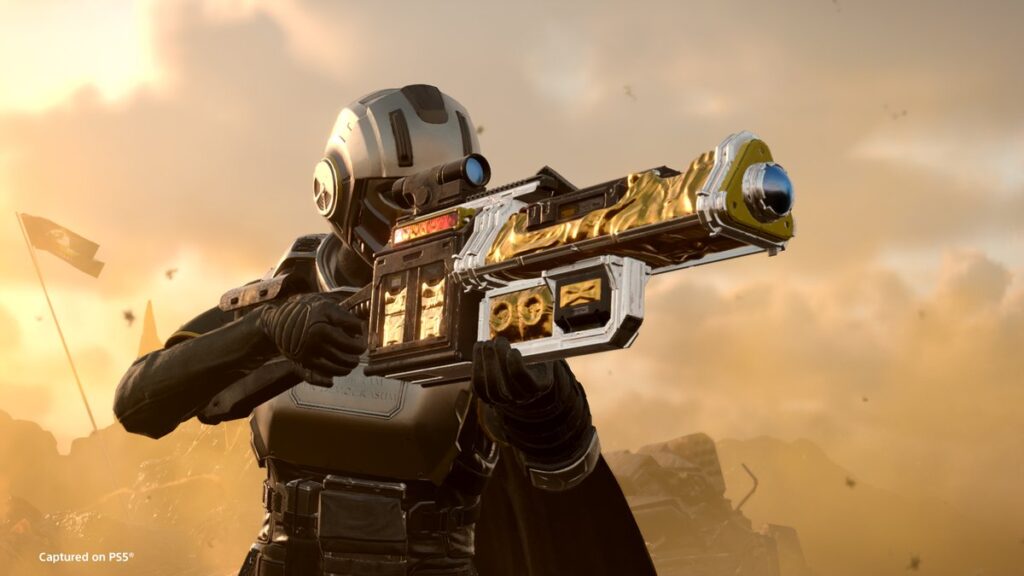
If your game runs smooth for 15 minutes then crashes to unplayable stuttering that affects your entire PC even after closing the game, this is the controller bug. The only fix is switching to keyboard and mouse permanently.
Verify Game Files
Right click Helldivers 2 in Steam Library > Properties > Installed Files > Verify integrity of game files. Do this after every patch. File corruption causes random crashes and stuttering.
Clear Shader Cache
Delete shader cache folders after updates to fix black screens, visual glitches, and sudden FPS drops. Game rebuilds shaders on next launch which fixes corruption.
Update GPU Drivers
Get latest NVIDIA or AMD drivers from manufacturer websites. Old drivers cause instability and crashes. Check Device Manager to see current driver date.
Turn your matches into real improvement.
Hone helps you understand your performance, track progress over time, and make smarter changes to how you play & practice — not just your settings.
System Requirements and Hardware Bottlenecks
Helldivers 2 has steep hardware demands that scale with resolution and target frame rate. Understanding where your system sits on the requirement spectrum tells you if optimization can help or if you need hardware upgrades.
Helldivers 2 PC Requirements Breakdown
| Tier | Target | GPU | CPU | RAM | Storage |
|---|---|---|---|---|---|
| Minimum | 1080p 30fps Low | GTX 1050 Ti / RX 470 | i7-4790K / Ryzen 5 1500X | 8 GB | HDD 7200rpm |
| Recommended | 1080p 60fps Medium | RTX 2060 / RX 6600 XT | i7-9700K / Ryzen 7 3700X | 16 GB | SSD Required |
| Performance | 1440p 60fps High | RTX 3070 / RX 6800 | i5-12600K / Ryzen 5 5800X3D | 16 GB | SSD Required |
| Ultra | 4K 60fps Very High | RTX 4070 Ti / RX 7900 XTX | i5-12600K / Ryzen 7 5800X3D | 16 GB | SSD Required |
Storage: An SSD is required for stable frame times at 60 FPS targets. HDDs cause stuttering when loading new assets during gameplay.
CPU Bottleneck: Both Performance and Ultra tiers use the same CPU (i5-12600K or Ryzen 7 5800X3D). This means targets above 60 FPS are CPU-limited due to physics calculations and high enemy counts.
Optimized Graphics Settings for Helldivers 2
These settings target the biggest FPS killers. Shadow Quality, SSGI, and Particle Quality destroy frame rates during combat. Cutting these settings provides massive gains with minimal visual loss.
Maximum FPS on Low to Mid-Range Hardware
Stable 60 FPS with Better Visuals
Settings Impact Breakdown
Fix Shader Cache Corruption
Shader cache stores compiled graphics programs your GPU uses to render the game. When this cache corrupts after updates, you get black screens, stuttering, missing visual effects, or sudden FPS drops. Clearing the cache forces a clean rebuild that fixes these issues.
Shader Cache Deletion Process
Delete these folders to force shader recompilation
C:\Program Files (x86)\Steam\steamapps\shadercache\ and delete the folder named 553850.%AppData% then hit Enter. Navigate to Roaming\Arrowhead\Helldivers2\ and delete the shader_cache subfolder.Disable Conflicting Background Software
Several types of software interfere with Helldivers 2 by competing for resources, hooking into the graphics pipeline, or conflicting with the anti-cheat system. Close all these programs before launching the game.
- Close MSI Afterburner completely
- Exit Logitech G-Hub and NZXT CAM
- Disable HWInfo, iCUE, and Razer Synapse
- Check Task Manager to confirm processes ended
- Steam > Settings > In-Game > Disable Steam Overlay
- Discord > User Settings > Overlay > Toggle off
- NVIDIA GeForce Experience > Settings > Disable In-Game Overlay
- Xbox Game Bar > Settings > Turn off
- Update or uninstall Samsung Magician (causes connectivity issues)
- Uninstall Ryzen Master if present (update first to clean properly)
- Disable or uninstall Nahimic and Sonic Suite audio enhancers
- Remove VPNs, Hamachi, and Radmin network tools
Advanced Launch Options and DirectX Fixes
If crashes or black screens persist, forcing the game to use DirectX 11 instead of DirectX 12 can resolve stability problems. Some systems have driver or hardware issues with DX12 implementation.
Network Lag and Disconnection Fixes
Network issues in Helldivers 2 show as high ping, rubberbanding, or random disconnects. These problems usually come from firewall blocking, double NAT routing conflicts, or IPv6 issues.
- Search for Windows Defender Firewall with Advanced Security
- Click Inbound Rules > New Rule > Program
- Browse to helldivers2.exe (usually C:\Program Files (x86)\Steam\steamapps\common\Helldivers 2\bin\)
- Allow connection > Apply to all profiles > Name it HELLDIVERS™ 2
- Right click rule > Properties > Protocols tab > Set to TCP
- Repeat entire process but set second rule to UDP
- Open PowerShell and run: tracert -4 google.com
- Check first two hops for private IPs (192.168.x.x, 10.x.x.x, 172.16.x.x)
- If both are private ranges, you have Double NAT
- Log into ISP modem and enable Bridge Mode or Passthrough
- Disable modem firewall and let your router handle NAT
- Press Win+R and type: ncpa.cpl
- Right click your network adapter > Properties
- Uncheck Internet Protocol Version 6 (TCP/IPv6)
- Disable and re-enable the adapter to apply
Reset Network Stack for Persistent Issues
If network problems persist after firewall and NAT fixes, the Windows network stack may have cached errors or protocol inconsistencies. A full reset clears these deep issues.
Post-Patch Maintenance Routine
Helldivers 2 requires consistent maintenance after every update due to how patches interact with shader cache and game files. Follow this sequence after each patch to prevent crashes and performance issues.
After Every Game Update
Complete this routine to maintain stability
Conclusion
Start with the three critical fixes: switch to keyboard and mouse if you have the controller bug, verify game files after every patch, and clear shader cache when you see visual glitches or stuttering. For graphics optimization, focus on Shadow Quality, SSGI, and Particle Quality as these provide the biggest FPS gains. If network disconnections persist, create proper firewall rules and check for double NAT routing conflicts. Helldivers 2 requires regular post-patch maintenance due to how updates interact with cached files. Follow the maintenance routine after each update to prevent recurring issues.
FAQ
Why does Helldivers 2 stutter after 15 minutes and affect my whole PC
This is the controller input bug. The game fails to release Windows controller API resources properly. After 15 to 20 minutes performance collapses system-wide and persists even after closing the game until you restart your PC. The only fix is switching to keyboard and mouse permanently.
How do I fix Helldivers 2 freezing and crashing
Verify game files in Steam after every patch, delete shader cache folders to fix corruption, update GPU drivers, and close all overlay software and monitoring tools like MSI Afterburner and Discord overlay. Run the game as administrator if crashes persist.
What graphics settings improve FPS the most in Helldivers 2
Set Shadow Quality to Lowest, turn Screen Space Global Illumination OFF, and set Particle Quality to Lowest. These three settings provide the biggest FPS gains. Keep Render Scale at Native to avoid blur. Lower Vegetation and Rubble Density to Medium or Low on jungle maps.
How do I clear shader cache in Helldivers 2
Close Steam completely. Delete the folder 553850 from Steam shadercache directory. Then go to %AppData%\Roaming\Arrowhead\Helldivers2\ and delete the shader_cache subfolder. Launch the game and let shaders recompile which causes a longer first load.
Why do I keep disconnecting from Helldivers 2 missions
Check if Windows Firewall is blocking the game. Create two Inbound Rules in Windows Defender Firewall, one for TCP and one for UDP protocol. Also test for double NAT by running tracert -4 google.com and checking if first two hops are private IPs. Enable bridge mode on your ISP modem if double NAT detected.
What are the minimum requirements for Helldivers 2
For 1080p 30fps on Low settings you need GTX 1050 Ti or RX 470, i7-4790K or Ryzen 5 1500X, 8 GB RAM, and a 7200rpm HDD. For stable 60 FPS at 1080p Medium you need RTX 2060 or RX 6600 XT, i7-9700K or Ryzen 7 3700X, 16 GB RAM, and an SSD is required.
Does Helldivers 2 run better on DirectX 11 or DirectX 12
DirectX 12 is the default but some systems have stability issues with it. If you experience black screens or crashes, force DirectX 11 by adding dx11 or –use-d3d11 to Steam launch options. Try both to see which runs more stable on your hardware.
What software conflicts with Helldivers 2
Close MSI Afterburner, Logitech G-Hub, NZXT CAM, HWInfo, and all RGB software. Disable Steam Overlay, Discord Overlay, and NVIDIA GeForce Experience Overlay. Uninstall or update Samsung Magician, remove Ryzen Master, and disable VPNs, Hamachi, and audio enhancers like Nahimic.
Should I use an SSD for Helldivers 2
Yes, an SSD is required for stable 60 FPS targets. HDDs cause stuttering when loading new assets during gameplay. The game streams textures and geometry constantly during missions which exceeds HDD speed capabilities. Install Helldivers 2 on an SSD to eliminate this bottleneck.
How do I fix double NAT in Helldivers 2
Log into your ISP modem and enable Bridge Mode or Passthrough Mode. This disables the modem’s NAT and routing functions so only your personal router handles traffic. Also disable the modem’s firewall. This ensures a single NAT layer which fixes peer-to-peer connection issues and host failures.




 Discord
 Instagram
 Youtube
 TikTok