

You bought It Takes Two on PlayStation. Your friend owns it on Xbox. You queue up, send the invite, and nothing happens. The platforms cannot see each other. Hours of planning meet a compatibility wall.
This guide answers whether It Takes Two is cross platform in 2026. You will learn which platforms connect, how Friend’s Pass works across different systems, cross generation compatibility, and technical fixes for connection failures.
Is It Takes Two Cross Platform?
The answer depends on what you mean by cross platform. Here is the breakdown for 2026.
Platform Compatibility Matrix for It Takes Two
It Takes Two uses closed platform ecosystems. Each hardware family operates as a walled garden that does not communicate with other families. You can only play with friends who own the game on the same platform family as you.
Who Can Play Together
Platform by platform breakdown of compatibility
Why It Takes Two Has No Cross Platform Play
It Takes Two requires perfect synchronization between two players at all times. The game uses peer to peer networking where one console acts as host and the other as client. Both machines must run the game simulation in exact lockstep. When Player A triggers a platform to move, Player B must see that movement instantly to jump on it.
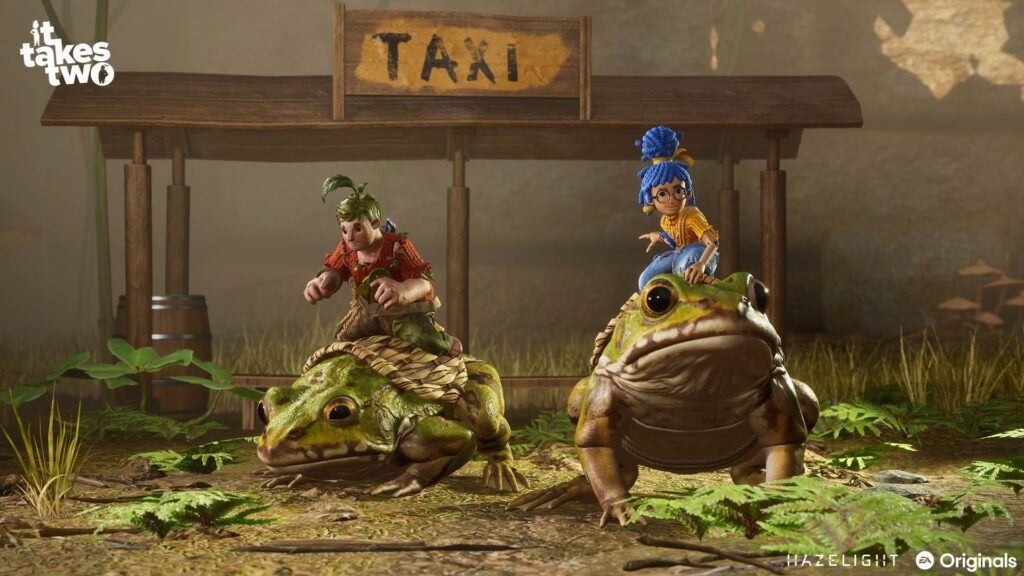
This tight coupling makes cross platform implementation significantly harder than typical multiplayer games. Synchronizing a Nintendo Switch running at 30 FPS on ARM architecture with a high end PC running at 144 FPS on x86 architecture introduces determinism problems. If physics calculations are tied to frame rate or tick rate, the simulation diverges between platforms and the game breaks.
Most cross platform games solve this with dedicated servers that act as the authority. It Takes Two’s mandatory two player cooperative design makes the peer to peer model necessary, which in turn makes true cross platform play technically challenging without completely rewriting the netcode.
Cross Generation Play Works Perfectly
While different platform families cannot connect, different console generations within the same family work seamlessly. A PS5 player can invite a PS4 player directly through PlayStation Network. An Xbox Series X player can play with an Xbox One player through Xbox Network. The game handles the performance differences automatically.
| Host Platform | Client Platform | Status | Connection Method |
|---|---|---|---|
| PlayStation 5 | PlayStation 4 | ✓ Works | PSN Direct Invite |
| Xbox Series X|S | Xbox One | ✓ Works | Xbox Network Gamertag |
| PC Steam | PC EA App | ✓ Works | EA Account Backend |
| PlayStation 5 | Xbox Series X | ✗ Blocked | Platform Policy Restriction |
| PC | Any Console | ✗ Blocked | Architecture Mismatch |
| Nintendo Switch | Anything Else | ✗ Blocked | Complete Isolation |
How Friend’s Pass Works Across Platforms
Friend’s Pass is It Takes Two’s standout feature. Only one player needs to buy the full game. The second player downloads a free Friend’s Pass version and plays the entire game without purchase. This system works on all platforms but operates differently on console versus PC.
Console Friend’s Pass
PC Friend’s Pass
Steam Remote Play
Step by Step: Setting Up Friend’s Pass
PlayStation and Xbox Setup
Console platforms have the simplest Friend’s Pass process
PC Steam Setup (Post May 2024)
Steam version no longer requires EA App launcher
Common Connection Problems and Fixes
Technical Troubleshooting
Solutions for the most reported connection failures
- Press Windows Key + R and type services.msc
- Find Nahimic Service in the list
- Right click and select Stop
- Right click again, select Properties, change Startup Type to Disabled
- Restart PC and relaunch the game
- Enable UPnP (Universal Plug and Play) in router settings
- Manually forward these ports: TCP 80, 443, 9988, 17502, 20000-20100, UDP 3659, 14000-14016, 22990-23006
- Both players should use wired Ethernet instead of Wi-Fi to reduce packet loss
- Disable VPN temporarily to test if routing is the issue
- Open EA App and go to Settings > Application
- Run the App Recovery tool to clear cache
- Alternatively, remove the friend from EA friends list and re add them
- Restart both EA App and Steam completely
- Temporarily disable Steam Family Sharing on the account
- Or use Steam Support to remove the shared license from your account
- Then download Friend’s Pass as a standalone free item
- Both players switch to wired Ethernet connections
- Close bandwidth heavy apps like Chrome, Discord, OneDrive, streaming services
- If ping is over 100 ms, the distance between players is too great for smooth P2P
- Test connection quality with ping commands to each other’s IP addresses
- Both players verify they have the latest patch installed
- On Steam: Right click game > Properties > Updates tab, ensure automatic updates enabled
- On EA App: Click three dots next to game and select Check for Updates
- Restart both clients after confirming same version number
Performance Differences in Cross Gen Play
When a PS5 player connects with a PS4 player or an Xbox Series X connects with Xbox One, both players experience different visual quality and performance. The game handles this automatically but certain technical realities affect the session.
The newer console player benefits from faster loading times due to SSD storage versus mechanical hard drives. This creates waiting periods during level transitions. The PS5 player loads the new area in 5 seconds while the PS4 player takes 30 seconds. The game pauses the PS5 simulation and shows a waiting for player message until the PS4 sends a ready signal. This is normal behavior, not a bug.
Frame rate differences exist but do not break gameplay. PS4 and Xbox One target 30 FPS while PS5 and Series X run at 60 FPS. The network code interpolates position data to smooth out visual representation. The Series X player does not see stuttering when their partner is on Xbox One. Each player’s local input response stays tied to their own hardware frame rate.
Nintendo Switch Isolation Explained
The Nintendo Switch version of It Takes Two cannot connect to any other platform. Switch players can only play with other Switch owners. This isolation exists because of extreme hardware divergence. The Switch version was ported later and runs on a mobile ARM based Tegra X1 chip. To achieve playable performance, the game runs at significantly lower resolutions, often below 720p in handheld mode, with reduced texture quality and 30 FPS.
Introducing cross platform play between Switch and current generation consoles would require forcing PlayStation 5 or Xbox Series X to run at Switch equivalent update rates or fundamentally breaking the synchronization logic. The developers chose total isolation rather than degrading the experience on more powerful hardware.
The Switch version does offer one unique feature absent from other platforms. Local wireless play allows two Switch consoles to connect directly via ad hoc Wi-Fi without requiring an internet connection. This enables portable co-op sessions anywhere without router infrastructure.
Will Cross Platform Come in Future Updates
As of 2026, the likelihood of a retroactive update to add full cross platform play between PlayStation and Xbox or between consoles and PC is extremely low. Implementing true cross platform compatibility would require a complete rewrite of the netcode. The game would need to move from platform specific peer to peer architecture to a unified server mediated relay system.
This level of engineering investment is rarely made this late in a game’s lifecycle. It Takes Two released in 2021 and has achieved its commercial success. Developer resources typically shift to new projects rather than fundamental rewrites of completed titles. Additionally, full cross platform play would require extensive negotiation and certification between rival console manufacturers, a process that historically faces corporate resistance.
The May 2024 PC update that removed the EA App launcher requirement shows Hazelight Studios does support the game with quality of life improvements. However, these updates focus on reducing friction within existing ecosystems rather than bridging incompatible architectures.
Conclusion
It Takes Two does not support cross platform play between different hardware families. PlayStation players cannot connect with Xbox, PC players are isolated from all consoles, and Nintendo Switch operates in complete isolation. However, cross generation play works perfectly within the same family. PS5 connects seamlessly with PS4, Xbox Series X plays with Xbox One, and all PC storefronts connect through EA backend authentication.
The Friend’s Pass system removes the price barrier for the second player across all platforms. Match your platform choice with your intended co-op partner, download the appropriate Friend’s Pass version if needed, and use wired Ethernet connections for optimal peer to peer stability. With these guidelines, you can enjoy the full cooperative experience regardless of which ecosystem you choose.
FAQ
Can PS5 and Xbox play It Takes Two together
No, PlayStation and Xbox cannot connect in It Takes Two. The game uses closed platform ecosystems that do not communicate with each other. PS5 players can only connect with PS4 players through PlayStation Network. Xbox Series X can only connect with Xbox One through Xbox Network.
Can PC and console play It Takes Two together
No, PC players cannot connect with any console platform. Steam, EA App, and Epic Games Store versions are strictly isolated from PlayStation, Xbox, and Nintendo Switch. However, different PC storefronts can connect with each other through EA account backend authentication.
Does Friend’s Pass work on all platforms
Yes, Friend’s Pass is available on PlayStation, Xbox, PC, and Nintendo Switch. Only one player needs to buy the full game. The second player downloads a free Friend’s Pass version from their platform store and plays the entire game without purchase. Progress saves for both players.
Can PS5 and PS4 play It Takes Two together
Yes, cross generation play is fully supported within the PlayStation family. PS5 players invite PS4 players directly through PlayStation Network. The game handles performance differences automatically. The PS5 player experiences faster loading and higher resolution while the PS4 player sees standard quality.
Can Xbox Series X and Xbox One play It Takes Two together
Yes, all Xbox console generations connect seamlessly. Xbox Series X, Series S, Xbox One X, and base Xbox One are treated as a single unified player pool. Smart Delivery handles version optimization automatically. Invites work through Xbox Network gamertags with no special setup required.
Can Nintendo Switch play with other platforms
No, Nintendo Switch is completely isolated from all other platforms. Switch players can only connect with other Switch owners. The version runs on significantly different hardware with lower performance and resolution. It does offer unique local wireless play between two Switch consoles without internet.
Do both players need to buy It Takes Two
No, only one player needs to purchase the full game. The second player downloads the free Friend’s Pass from their platform store. The Friend’s Pass unlocks the complete game when connected to a full license owner. Both players keep their saved progress even if they later buy separate copies.
Can Steam and EA App play It Takes Two together
Yes, all PC versions connect through EA backend services. Steam, EA App, Origin, and Epic Games Store players can invite each other. Both players need EA accounts linked. After May 2024, Steam version no longer requires EA App launcher running, but EA account is still mandatory for multiplayer.
Why does my It Takes Two invite not work
Common causes are Nahimic audio service conflicts, strict NAT router settings, mismatched game versions, or stale EA App friend cache. Disable Nahimic service, enable UPnP on router, ensure both players have latest updates, and run EA App Recovery tool to clear cache. Check both players are on same platform family.
Does It Takes Two support Steam Deck
Yes, It Takes Two is Steam Deck Verified as of the May 2024 update. Removing the EA App launcher requirement allowed the game to run natively through Proton compatibility layer on SteamOS. The Steam Deck version offers portable play with 60 FPS performance and high fidelity PC assets over Wi-Fi.


 Discord
 Instagram
 Youtube
 TikTok