

Legacy Edition launched August 11, 2026 as Aspyr Steam app 2523770. For the LOTR War in the North Legacy Edition best settings, start at native resolution—or 1280x800 on Deck—with Borderless and observed Maximum/On values, then establish a repeatable 60-FPS pass. Aspyr advertises 60 FPS gameplay, not universal 120 FPS. As of August 21, Aspyr’s support page documents a PS5-only hot fix. We found no official PC patch note, so its Wi-Fi, autosave, and related crash fixes must not be assumed to apply to the Steam build.
Best LOTR War in the North Legacy Edition settings to start with
Use this baseline as a starting point, not a universal preset:
- Desktop: native display resolution,
Borderless, then the observed Maximum/On choices below. - Steam Deck:
1280x800,Borderless, and the same observed choices. - First target: 60 frames per second (FPS), meaning 60 images displayed each second.
Repeat one route until you can name the symptom: sustained low FPS, uneven pacing, a hitch, tearing, or a crash. Then change one option. Compare Shadow Detail in a fixed fight, Particle Detail or Volumetric Effects in effects-heavy combat, and Grass Density or Foliage Detail during fixed traversal. Lower Texture Detail only when video memory (VRAM)—GPU memory used for assets—and repeated hitches suggest memory pressure. Treat Motion Blur and Depth of Field as clarity preferences until measured otherwise.
CHOOSE THE TEST GROUND
Match the route to the symptom
Snowfield traversal route selected.
Snowfield traversal
Repeat one outdoor path and camera turn. Compare pacing, GPU load, grass, and foliage only through matching visible controls.
Torchlit stronghold
Repeat one interior fight with the same party, enemies, camera, and effects. Compare combat spikes, shadows, particles, and CPU/GPU frame time.
Busy boss encounter
Reload one effects-heavy encounter with fixed party and camera path. Change one verified option or PC variable; compare 1% lows and frame-time spikes.
Snowfield traversal
Repeat one outdoor path and camera turn. Compare pacing, GPU load, grass, and foliage only through matching visible controls.
Torchlit stronghold
Repeat one interior fight with the same party, enemies, camera, and effects. Compare combat spikes, shadows, particles, and CPU/GPU frame time.
Busy boss encounter
Reload one effects-heavy encounter with fixed party and camera path. Change one verified option or PC variable; compare 1% lows and frame-time spikes.
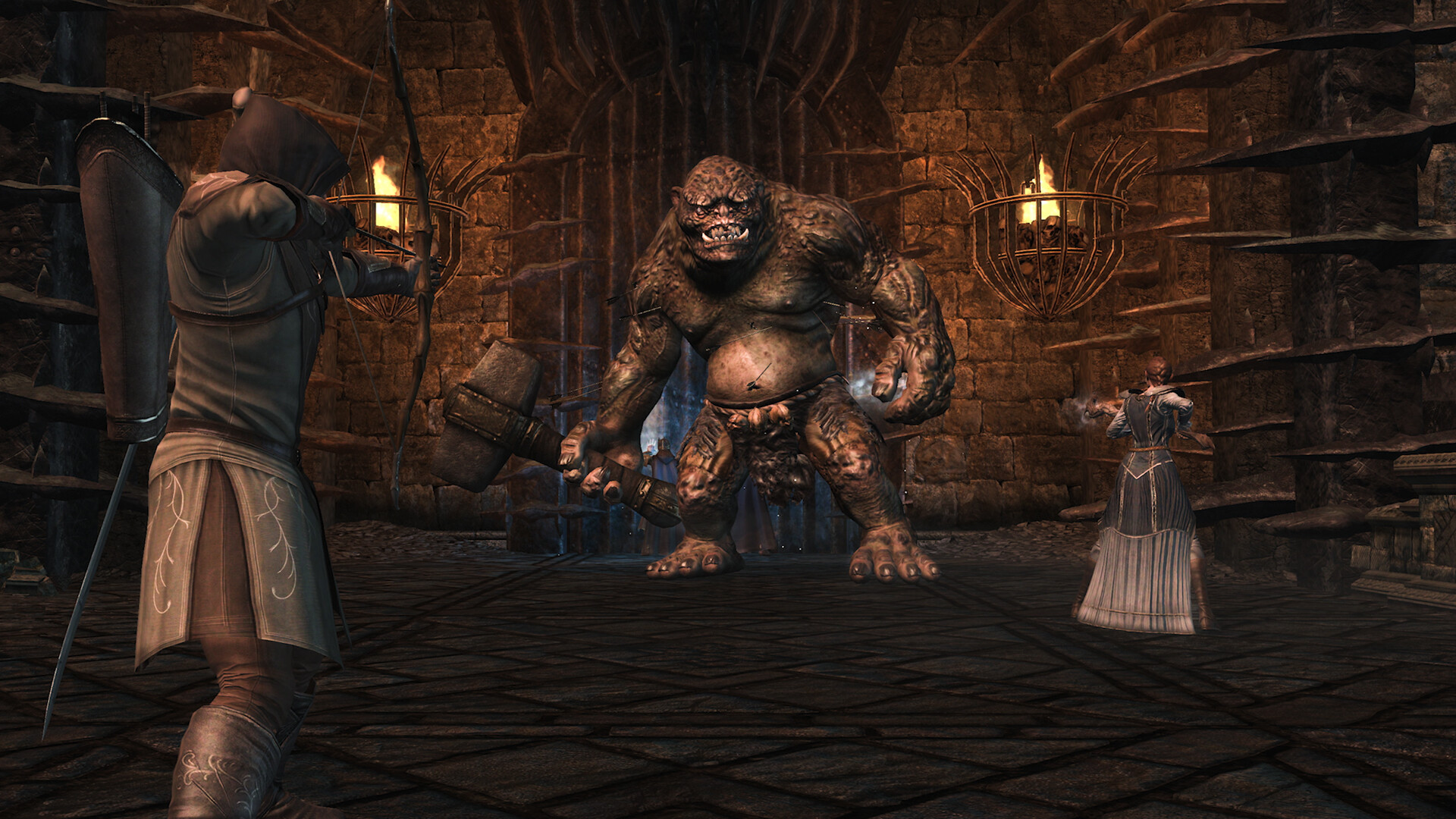
War in the North Legacy Edition PC settings: exact current menu
This post-launch Steam Deck OLED capture is dated August 12, 2026. Each label and selected value is directly visible on that device and captured build, but it is not an official desktop preset, a controlled benchmark, or a universal recommendation.
Swipe to review all 15 observed menu values →
| Exact menu label | Exact observed value |
|---|---|
Change Resolution | 1280x800 |
Display Mode | Borderless |
Shadows | On |
Shadow Detail | Maximum |
Particle Detail | Maximum |
Volumetric Effects | On |
LOD Fading | On |
Texture Detail | Maximum |
Grass Density | Maximum |
Foliage Detail | Maximum |
Decal Detail | Maximum |
Ambient Occlusion | On |
Distortion | On |
Motion Blur | On |
Depth of Field | On |
The captured pass does not show V-Sync, FPS Limit, Dynamic Resolution, Resolution Scale, DLSS, FSR, XeSS, Frame Generation, Ray Tracing, Reflex, Anti-Lag, or a preset selector. That absence is capture-specific; controls and alternatives not shown here remain unverified.
60 FPS, 120 FPS, frame time, V-Sync, VRR, and tearing
Aspyr’s official baseline is 60 FPS, with a mathematical frame-time budget—the time available to display each frame—of 16.67 milliseconds. Current PC and Deck OLED commentary makes 120 FPS credible to test at 8.33 ms, but Aspyr guarantees only 60. Do not treat 120 as official, stable, universal, or evidence of support above 120.
For high refresh, first choose a realistic FPS target. No Legacy Edition evidence establishes whether FPS changes physics, animation, combat, cooldowns, AI, audio, or cutscene timing. Compare 60 and 120 with the same save, route, gear, difficulty, and input for five runs per target. Escalate only if median timing differs by more than 2% across two probes.
Vertical synchronization (V-Sync) matches frame delivery to display refresh to limit tearing. No V-Sync control appears in the capture. Compare Borderless with another exposed mode, if present, on one pan; apply one cap or sync path. Variable refresh rate (VRR) adapts refresh to delivery. Avoid a universal cap and keep one limiter active.
Steam Deck and Linux: a bounded starting route
A Deck OLED capture samples 60 FPS at 1280x800, Borderless, and Maximum/On values. That single-device capture is not a lock or full-game benchmark. Community reports conflict on headroom, freezes, crashes, and Proton behavior.
Begin at 60 Hz/60 FPS and repeat traversal, combat, and transitions. On OLED, try 90 Hz only after documenting stable 60; a brief 100-plus-FPS peak is not a stable target. Record LCD/OLED, SteamOS, Proton, VRR, handheld/docked state, power, thermals, suspend/resume, and a 30-minute co-op session.
Steam lists Windows, not native Linux; no Deck Verified status is established. This does not rule out Proton. For a SteamOS/Linux freeze or roughly 1 FPS, test VRR off and restart before lowering settings. That single-report lead is not an official or universal fix.
Official PC system requirements explained
Steam provides these War in the North Legacy Edition system requirements, but neither tier defines resolution, preset, average or low FPS, VRAM, driver, or frame-pacing targets.
Swipe to compare minimum and recommended hardware →
| Part | Minimum | Recommended |
|---|---|---|
| OS | Windows 11, 64-bit | Windows 11, 64-bit |
| Processor | Intel Core i5-6400 / AMD Ryzen 5 3600 | Intel Core i5-12400F / AMD Ryzen 5 5600X |
| Memory | 8 GB RAM | 16 GB RAM |
| Graphics | NVIDIA GeForce GTX 970 / Radeon R9 290X | NVIDIA GeForce RTX 2060 / Radeon RX 6600 |
| DirectX | Version 12 | Version 12 |
| Storage | 25 GB available space | 25 GB available space |
Treat both tiers as eligibility references, not 4K/60 promises or VRAM targets. Steam lists Windows; test Proton separately.
Legacy Edition versus the 2011 original
Legacy Edition is a distinct Aspyr 64-bit DirectX 12 app (2523770) reviving Snowblind’s 2011 action RPG—not a new campaign, story, or ground-up remake. Advertised updates include 60-FPS gameplay, character hot-swapping, refined target lock, party Health/Mana/EXP bars, autosave changes, more save slots, Triggering Secrets, and bug fixes. This does not prove every old bug is gone.
Keep app 32800 advice behind a firewall. Old affinity, DLL/mod, config, save-path, compatibility, AMD, cap, renderer, stutter, timing, and benchmark claims are historical test ideas—not Legacy Edition instructions unless reproduced on app 2523770.
How to test settings without fake benchmark claims
There is no official benchmark or controlled desktop capture, so no honest per-setting gains exist. Use FN-TRAV-01 for a 90-second traversal, FN-COMB-01 for a scripted fight up to 120 seconds, FN-COOP-01 for solo/AI, host, and client passes, and FN-CUT-01 for five seconds around a transition.
Keep the post-reboot cold run separate, then collect five warm repetitions. Record build/depot, OS/driver, hardware, display, resolution, menu values, cap/V-Sync/VRR path, temperatures, power, save, route, and co-op role. Report average FPS; named-method 1% and 0.1% lows—the slowest recurring frame groups; median/P95/P99 frame time; hitches over 25 and 50 ms; GPU busy; per-core CPU; RAM/VRAM; and route validity. High average FPS with poor P99 or hitch behavior is not smooth.
THE THREE-PASS MARCH
Verify before you keep a change
- Survey — Record resolution, cap/sync state, FPS, lows, frame time, VRAM, save, route, party, and camera path.
- Change one thing — Change one verified game option or PC variable. Hold route, party, duration, and camera fixed.
- Hold or retreat — Repeat twice. Keep the change only if the same scene improves without unacceptable visual loss, instability, or pacing problems.
Troubleshoot stutter, low FPS, and crashes by symptom
For stable low FPS, lower resolution once. Improvement with high GPU busy suggests a GPU limit. If resolution barely matters and GPU busy stays low, compare traversal, combat, solo, and hosting; CPU, engine, AI, or network work may be involved. Use this branch to fix FPS drops without stacking changes.
For hitches, compare cold and warm runs. A shrinking first-run hitch suggests cache, initialization, or asset work—not proven shader compilation. A repeatable doorway hitch may indicate streaming, script, or transition work. PC stuttering in games explains why frame-time spikes matter more than averages.
For tearing, repeat one camera pan with one sync/cap route. For the Linux/SteamOS roughly-1-FPS symptom, preserve settings, test VRR off, restart, and record device and Proton state. Back up saves before crash tests. Do not clear caches, replace DLLs, change CPU affinity, or reinstall drivers without current-edition evidence.
Co-op, network, progression, and save reports
Legacy Edition officially supports three players online and two-player local split-screen. Steam lists online and split-screen co-op, Remote Play Together, Steam Cloud, and full controller support. Crossplay is not established.
Reports that non-host progression or equipment may not persist, along with region-load crashes, latency, connection trouble, and trouble-free sessions, do not establish design, frequency, cause, or universal defects. Separate online host/client behavior from local split-screen. Back up the save; record role, region, party assignment, crash point, save timestamp, round-trip time, packet loss, and whether it repeats solo. The PS5 hot fix is not a PC remedy.
Before the final comparison, optimize your PC for gaming cautiously, then rerun the identical scene rather than crediting several changes at once.
FAQ
What are the best PC settings for LOTR War in the North Legacy Edition?
Start at native resolution—or 1280x800 on Deck—with Borderless and observed Maximum/On values. Establish a repeatable 60-FPS pass, then lower one verified setting. This is a baseline, not a guarantee.
What changed in War in the North Legacy Edition compared with the 2011 original?
Aspyr advertises 60-FPS gameplay, hot-swapping, refined target lock, party bars, autosave changes, more save slots, Triggering Secrets, and bug fixes. It revives the 2011 RPG; it is not a new campaign or ground-up remake.
Can War in the North Legacy Edition run at 60 FPS or higher on PC?
Sixty FPS is official. Reports make 120 FPS credible to test, not guaranteed. Validate combat, cutscenes, co-op, frame time, and timing before choosing 120; support above 120 is unverified.
Does War in the North Legacy Edition run well on Steam Deck?
A Deck OLED capture samples 60 FPS at 1280x800, Borderless, and Maximum/On, but it is not a full benchmark. Reports conflict on freezes, crashes, and Proton, so test SteamOS, VRR, suspend/resume, and co-op.
What are the War in the North Legacy Edition PC requirements?
Steam lists Windows 11 64-bit, DirectX 12, 25 GB, 8 GB RAM and GTX 970/R9 290X minimum; recommended is 16 GB and RTX 2060/RX 6600. It supplies no resolution, preset, FPS, or VRAM target.




 Youtube