


Pax Autocratica mixes colony management with effects-heavy first-person battles, so one quiet scene cannot reveal the best settings for an entire campaign. Use this build-specific starting point to diagnose low frames per second (FPS), uneven frame time, stutter, or crashes.
Quick answer: Pax Autocratica is in Early Access. At the August 21 evidence cutoff, the latest verified deployed maintenance update was DIRECTIVE AG-14, published August 15; it attempted to fix crashes caused by enabling FSR. The August 19 custom colony-settings panel is work in progress, not deployed. No universal preset or controlled current-build per-slider benchmark is validated. For the Pax Autocratica best settings on your PC, start from the current preset or the observed High profile, change one option at a time, and test a mature colony and large battle separately. For crashes, freezes, or stuck loading, verify Steam files, disable DLSS Super Resolution, and disable Frame Generation. This August 13 path is troubleshooting, not a universal performance preset.
Best Pax Autocratica PC settings: observed A/B baseline
These labels and values were visibly observed August 13 on an RTX 5060 at 1080p, with in-game build string 0.195.0.201228. That is Grade A for this captured path but Grade B when generalized. It documents menu presence—not optimality, cost, stability, or an FPS gain. Treat it as a build-specific observation; the displayed version is not a Steam depot build ID.
Swipe the baseline table to compare all settings.
| Exact menu label | Observed value | Safe A/B direction |
|---|---|---|
Brightness / Contrast / Screen | 0 / 0 / 1 | Calibration or identification only; no FPS claim. |
Resolution / Windowed | 1920 × 1080 / Fullscreen | Use native output as reference; lower resolution only to diagnose a GPU limit. AG-12 concerned FSR FG in Borderless. |
Overall Preset | High | Unbenchmarked reference, never universally best. |
Texture Quality | High | Lower only after correlated memory pressure or traversal hitches. |
Particle Quality / Animations Quality / Models Quality / Shadow Quality | High for each | A/B particles and shadows in one battle. Leave animations and models unless testing finds an effect. |
SSR / SSAO / SSS | ON for each | Test individually. These are not ray-tracing proof; SSS cost is unverified. |
Volumetric Light / Contact Shadow | Enabled / ON | A/B in effects-heavy scenes; not ray-tracing evidence. |
V-SYNC / Frame Rate Limit | OFF / OFF | Coordinate with display and limiter. Cap values are unverified. |
Anti-aliasing | High | Low = FXAA, Medium = SMAA, High = SMAA plus TAA; not a performance ranking. |
FOV | 74 | Preference, not an FPS prescription. |
Frame Generation / DLSS Super Resolution | ON / ON | Disable FG for base comparisons; disable both for official stability isolation. |
Super Resolution Quality | DLAA (Native Quality) | NVIDIA value, not an FSR inventory or recommendation. |
Current AMD FSR quality labels were not observed. Ray tracing and XeSS are not evidenced. AG-12 fixed one Borderless FSR Frame Generation crash, not every upscaling or generated-frame path.
Identify the pressure
Reproduce the symptom first. Without JavaScript, all three complete branches remain visible. These are diagnosis routes, not presets or guarantees.
COLONY — Colony slowdown
Repeat a mature-colony route. Compare CPU and GPU frame time plus resolution response before naming a simulation limit. Hold citizen and soldier counts, jobs, construction, simulation speed, camera, and route constant.
COMBAT — Battlefield spikes
Reload the same save and repeat one high-activity window. Under a measured GPU limit, A/B Resolution, Particle Quality, Shadow Quality, SSR, SSAO, Volumetric Light, and Contact Shadow individually.
MEMORY — Memory pressure
Video RAM (VRAM) is graphics memory, not system RAM. Require capacity approach, shared-memory growth, repeatable hitches or pop-in, and improvement after lowering Texture Quality or resolution on the same route.
All directives visible.
Pax Autocratica system requirements
The official Steam store lists Windows 10, DirectX 11, 16 GB RAM, and 40 GB storage for both tiers.
Swipe the table to compare minimum and recommended hardware.
| Part | Minimum | Recommended |
|---|---|---|
| OS | Windows 10, 64-bit | Windows 10, 64-bit |
| CPU | Intel i5-8600 / AMD Ryzen 5 1600X | Intel i7-8700K / AMD Ryzen 5 3600 or equivalent |
| Memory | 16 GB RAM | 16 GB RAM |
| GPU | 1080p: GTX 1060 6 GB / RX 480 (6 GB+ VRAM); 1440p: GTX 1070 8 GB / RX Vega 56 (8 GB+ VRAM) | RTX 2060 Super / RX 5700 XT (8 GB+ VRAM) |
| DirectX | Version 11 | Version 11 |
| Storage | 40 GB available | 40 GB available |
Steam states no target preset, frame rate, upscaler, or precise image-quality assumptions. The 6 GB and 8 GB wording defines requirement tiers, not no-stutter guarantees or proof that a texture preset needs exactly that capacity.
Verify changes with the same three-pass protocol
No built-in benchmark is documented, so use repeatable routes instead of borrowing unverified FPS figures. Frame time measures one frame; 1% lows summarize slow-tail behavior under a declared calculation.
Three-pass command rail
- Observe. Record build/date, driver, OS, hardware, storage, resolution, display mode, refresh and VRR, V-Sync, limiter, preset, options, upscaler, Frame Generation, timing, RAM, and dedicated/shared VRAM where possible.
- Change one order. Change one exact setting while keeping save, route, camera, duration, and conditions fixed. Use repeated A/B or A/B/A/B for stronger conclusions.
- Verify. Separate the cold first route, then run at least three valid warm passes for mature-colony, traversal, and large-battle routes. Compare range and median; keep only acceptable, stable changes.
Choose any cap from the sustained worst repeatable battle, then validate it in the mature colony. Do not derive it from an empty scene or imply this method was completed here without raw captures.
Colony/base slowdown: test CPU and simulation separately
A colony slowdown is not automatically a CPU bottleneck. In a mature save, hold citizen and soldier counts, jobs, construction, simulation speed, camera, and route constant. Compare stationary and repeated movement segments while inspecting CPU frame time and per-thread load alongside GPU busy and GPU frame time.
If lower Resolution or an exposed upscaler barely helps while CPU evidence dominates, a CPU or simulation limit becomes plausible. Genre intuition alone is insufficient. The August 19 custom colony-settings panel is work in progress, not a live control. Without a verified simulation option, choose a maintainable cap; do not invent population or AI settings.
Large-battle FPS drops: separate GPU effects from CPU load
Large battles combine vehicles, projectiles, particles, shadows, AI, and simulation, so GPU and CPU pressure can overlap. Reload one checkpoint and repeat its opening order, path, camera cues, and high-activity window.
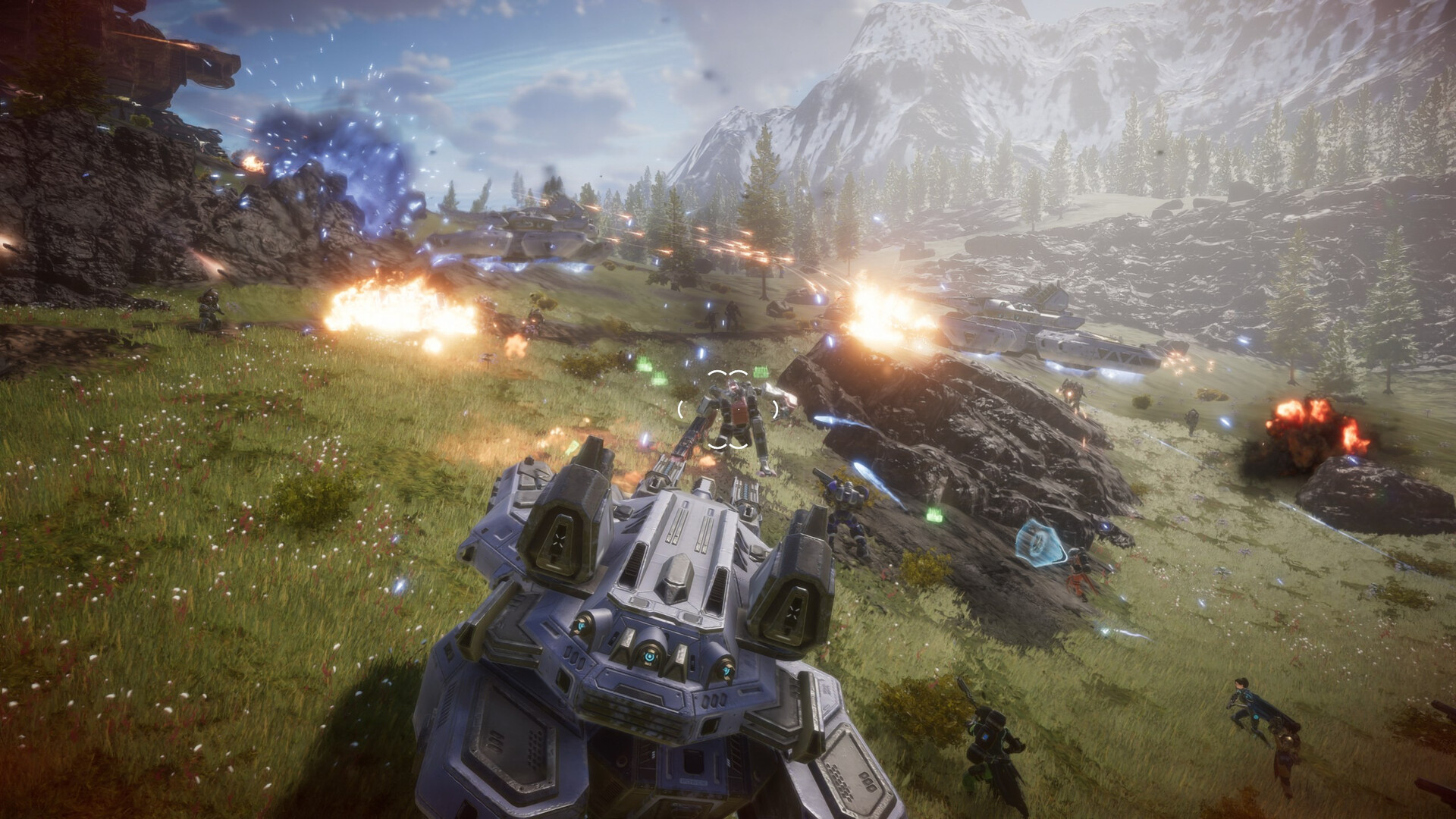
If GPU busy or frame time rises and lower resolution helps, A/B Resolution, Particle Quality, Shadow Quality, SSR, SSAO, Volumetric Light, and Contact Shadow individually. This is not a proven order. If resolution barely helps and CPU frame time dominates, use a sustainable cap. Validate the battle floor in the colony. To fix FPS drops, change only the diagnosed limit instead of lowering every option.
VRAM and system-memory pressure
VRAM allocation alone proves nothing. Look for capacity approach, shared-memory growth, repeatable hitches or pop-in, and improvement after lowering Texture Quality or Resolution on the same route. Keep system RAM separate: Steam lists 16 GB for both tiers, but current use needs measurement. Never turn 6 GB and 8 GB tiers into texture cutoffs.
Stutter, shader assumptions, freezes, and loading
Keep loading time outside FPS captures. Run one cold pass after a fresh launch, then at least three identical warm passes. A cold-only spike may suggest caching, streaming, or initialization—not shader compilation without a trace or first-party statement. Repeated coordinate or event spikes need separate diagnosis; see PC stuttering in games for the wider method.
August 12 DIRECTIVE AG-12 improved loading and performance in the tutorial battle, not the whole game. For crashes, freezes, or stuck loading, follow the August 13 isolation path: verify Steam files, disable DLSS Super Resolution, and disable Frame Generation. Avoid unsupported shader-cache edits, launch options, config changes, or invented loading-time gains.
DLSS, FSR, and Frame Generation stability
Upscaling renders below output resolution and reconstructs the image, changing quality and GPU cost. Test native anti-aliasing and each actually exposed upscaler mode on the same route. Current AMD FSR quality labels were not observed; NVIDIA’s DLAA (Native Quality) value cannot supply them.
Keep Frame Generation off for base-render comparisons. Generated frames can improve displayed cadence without matching application throughput; test FG only after acceptable base cadence, never as a latency fix. AG-12 fixed an FSR Frame Generation crash in Borderless, not every path. If instability appears, use the August 13 file/DLSS/FG isolation branch. AG-14 only attempted to fix crashes caused by enabling FSR.
V-Sync, frame-rate cap, VRR, and pacing
V-Sync coordinates frame delivery with fixed display refresh to prevent tearing. Variable refresh rate (VRR) lets a compatible display follow delivery within its range. V-SYNC and Frame Rate Limit were observed in the retail menu, but exact cap values were not verified.
A July 21 demo update said V-Sync had to be off for its limiter; verify this build-sensitive behavior. Use one active limiter, preferring a verified in-game option; driver or RTSS caps are diagnostic fallbacks. For VRR, test a maintainable below-ceiling cap without turning common formulas into Pax guarantees. Use battle and colony results to choose a realistic FPS target; average FPS alone is not smoothness or latency.
Unrelated bugs and Early Access limits
AG-12 and AG-14 also addressed save, UI, audio, hauling, quest, research-interface, and visual issues. Those are not optimization gains. The August 19 colony panel remains work in progress; recheck official news before repeating patch-sensitive advice.
FAQ
What are the best settings for Pax Autocratica on PC?
There is no universal preset. Use your current preset or the observed build-specific High profile as an A/B reference. Change one verified option at a time while testing a mature colony and the same large battle.
How do I fix stuttering and FPS drops in Pax Autocratica?
Separate loading from gameplay: record one cold run and at least three warm colony, traversal, and battle runs. Check CPU and GPU frame time, resolution response, and dedicated and shared memory. For instability, verify Steam files and disable DLSS Super Resolution and Frame Generation.
Why does Pax Autocratica run worse during large battles?
Large battles can pressure both the GPU/effects path and CPU/simulation path. Compare GPU busy, CPU frame time, resolution scaling, and one-setting A/B passes in the same repeatable encounter before naming the limit.
Should I use DLSS, FSR, or Frame Generation in Pax Autocratica?
Test only exposed modes. Keep Frame Generation off for base-render comparisons and test it only after acceptable base cadence. If unstable, follow the August 13 isolation steps. AG-14 attempted to fix FSR crashes; it did not confirm stability.
Can my PC run Pax Autocratica?
Compare your hardware with Steam’s separate 1080p and 1440p minimum GPU entries. Steam gives no target preset, frame rate, upscaler, or image assumptions, so meeting a tier guarantees no particular colony or battle outcome.
Conclusion
Treat every recommendation as a test. Start from the observed menu, diagnose colony and combat separately, and verify one change across repeated routes. You can optimize your PC for gaming beforehand while keeping Pax controls distinct.




 Youtube