


The Division Resurgence is now native on PC
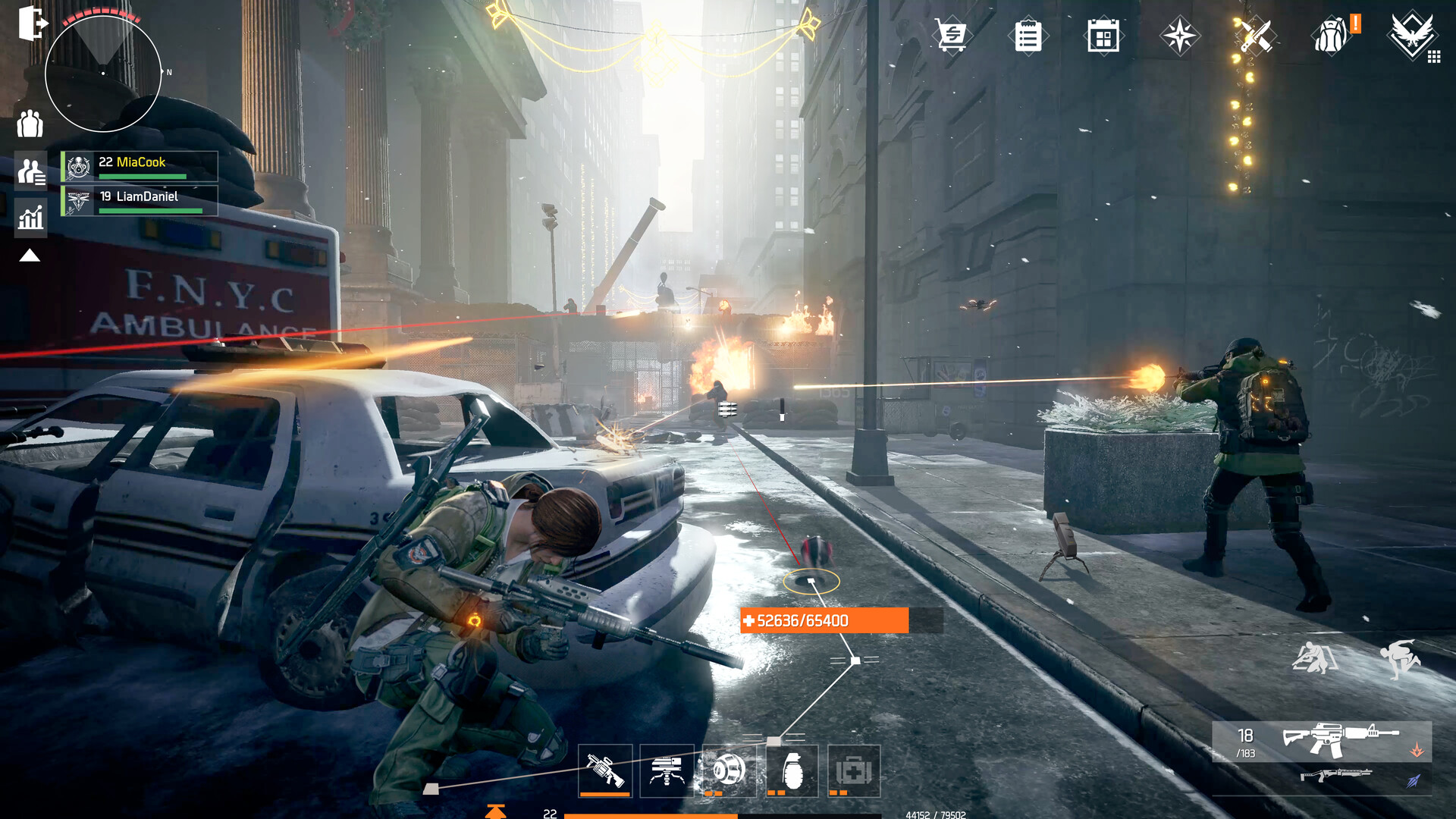
The Division Resurgence now has a native Windows PC client—no emulator is required. Ubisoft Connect technical early access began April 28, 2026, and the full PC/Steam release arrived August 5, 2026. The August 21 evidence cutoff places the game in Season 2, which went live August 6; the reviewed first-party record contains no later PC performance patch note.
This guide covers native Windows through Steam App 3749720 and Ubisoft Connect. It does not cover mobile graphics, Android emulators, modified APKs, unofficial executables, or settings for The Division or The Division 2. Ubisoft developed and published this free-to-play PC release.
What “best settings” means with incomplete evidence
The available evidence is not sufficient to freeze exact best settings. No complete post-launch native-PC graphics-menu capture was supplied, so a credible The Division Resurgence best PC settings guide cannot invent a slider table. Ubisoft’s labels are configuration anchors, not a map of every value hidden beneath each preset.
Start from the official tier closest to your hardware and intended output, then choose a realistic FPS target that you can verify across multiple routes. Frames per second describes cadence; it is not interchangeable with loading time, network delay, or responsiveness.
Official PC targets and exact hardware
Ubisoft’s PC tiers publish four hardware/configuration targets. They are not Hone benchmarks, minimum-FPS guarantees, 1% low slow-frame summaries, frametime guarantees, or evidence of a frame-rate lock. Keep Ubisoft’s word “2K” intact: the source does not define it as 2560×1440.
Swipe horizontally to compare all four official target tiers.
| Official tier | Official target | CPU | GPU | RAM |
|---|---|---|---|---|
| Minimum | 1080p, Low graphic preset, 30 FPS | Intel Core i5-8400 / AMD Ryzen 5 3400G | Intel UHD 630 integrated GPU; Steam’s structured minimum text also lists AMD Vega 11 integrated GPU | 8 GB dual channel |
| Recommended | 1080p, High graphic preset, 60 FPS | Intel Core i5-8400 / AMD Ryzen 3 3100 | Nvidia GTX 1650 4 GB / AMD RX 5500 4 GB / Intel Arc A380 6 GB | 8 GB dual channel |
| High | 2K, High graphic preset, 60 FPS | Intel Core i5-10400 / AMD Ryzen 5 5500 | Nvidia GTX 1660 6 GB / AMD RX 5500 XT 8 GB / Intel Arc A580 8 GB | 8 GB dual channel |
| Very High | 4K, Very High graphic preset, 60 FPS | Intel Core i7-8700K / AMD Ryzen 5 3600 | Nvidia GTX 1660 Ti 6 GB / AMD RX 5600 XT 6 GB / Intel Arc A750 8 GB | 8 GB dual channel |
Across all tiers, the official baseline is Windows 11, DirectX 11, 8 GB of dual-channel RAM, 30 GB available, and a required solid-state drive. Ubisoft’s PC explainer says the download is around 17 GB; 30 GB remains the free-space requirement, not a fixed installed size. Listed graphics-card memory capacities are not universal VRAM thresholds.
SELECT PRESSURE SOURCE
Match the route to the symptom
Choose the scene that reproduces the issue. These are test routes, not outcome promises.
Traversal
Repeat one fixed open-world street run with the same start, finish, pace, and camera sweep. Compare GPU load, frame intervals, streaming behavior, and first exposure against warm passes.
Starting diagnosis only—hardware, build, driver, network, and route determine the result.
Co-op combat
Keep party size, leader, platform mix, region, encounter, cover, weapon, and skill sequence fixed. Compare effects and actor density while keeping CPU and GPU evidence separate.
Starting diagnosis only—hardware, build, driver, network, and route determine the result.
Online-only
Rerun a comparable solo scene, then record round-trip time, jitter, loss, region, interface, and party mix. Teleporting or delayed actions with stable local frametimes are a network lead, not proof.
Starting diagnosis only—hardware, build, driver, network, and route determine the result.
Rendering, CPU simulation, VRAM, storage/RAM, network, and account routes need different evidence. A renderer diagnosis needs GPU-busy and frame-interval data plus a matched response to resolution or a verified control. CPU claims require per-core and effective-clock evidence, lower GPU busy, little resolution response, and repeatable density scaling.
Video memory (VRAM) checks need allocation, budget, shared memory, pop-in, and residency behavior. Storage or RAM leads need correlated commit, page faults, and disk activity. Network checks require round-trip time (RTT), jitter, loss, region, interface, and party/platform mix. Account linking, entitlement, character sync, and regional service are separate again. To fix FPS drops, first identify which repeatable route actually changes.
FPS caps, sync, graphics features, and unsafe bypasses
The reviewed current-build evidence does not prove a 65 FPS cap, its source, an in-game 65 choice, or a safe bypass. Ubisoft’s 60 FPS target tiers do not establish a hard 60 FPS lock. Available cap values, a native 120 FPS option, and an uncapped mode remain unknown.
V-Sync is unverified as a current menu control. Variable refresh rate (VRR)—including monitor, operating-system, or driver paths such as G-Sync or FreeSync—must not be presented as an in-game toggle. DLSS, FSR, XeSS, dynamic resolution, native Frame Generation (FG), Reflex, Anti-Lag, and ray tracing are undocumented here. DirectX 11 proves neither ray tracing’s presence nor absence.
A future throughput pass is valid only after the current build shows how every limiter and V-Sync can be disabled, unless the game forces one. For the experience pass, use one identified limiter and record refresh, V-Sync, and verified VRR state. Treat a below-ceiling VRR cap as a hypothesis to test, not universal “three frames below” advice.
If upscaling is verified later, compare matched output and route while recording internal resolution and artifacts. If Frame Generation is verified, separate base/application-presented cadence from generated/displayed cadence; do not recommend it for latency-sensitive Dark Zone combat without direct measurement. Never present driver or third-party interpolation as a native feature.
Do not edit configuration, registry, launcher, DLL, executable, or memory values, and do not use patches, “optimized configs,” or anti-cheat bypasses. This guide excludes mobile FPS behavior, emulators, APK/XAPK packages, modified APKs, and unsupported cap bypasses. Use official Steam or Ubisoft routes only.
A repeatable manual benchmark plan
AFTER-ACTION REPORT
Verify before you keep a change
- Lock context. Record game build/date, driver, hardware, resolution, display mode, cap, V-Sync/VRR, upscaler, and Frame Generation state.
- Repeat the route. Keep the route, camera, encounter, squad context, and duration fixed; separate the first pass from at least three warm runs.
- Read the right signals. Compare base FPS, 1% lows or frame-time spikes, CPU/GPU frame time, GPU load, VRAM/system memory, and ping for online symptoms.
- Keep or revert. Keep only a change that repeats beyond normal variation without an unacceptable clarity, latency, stability, or thermal tradeoff.
Verified change: same route, repeated result, tradeoff recorded.
No built-in benchmark is documented, so separate five manual lanes rather than compressing unlike workloads into one score:
- S — open-world traversal: fix the street loop, start/end landmarks, pace, and camera. Record first exposure separately from at least five valid warm repetitions; use it for streaming and scene-change evidence only.
- F — firefight/effects: fix cover, weapon, skill timing, encounter, and wave. Keep crowded combat separate from traversal.
- C — co-op: fix party size, leader, platform mix, region, route, and synchronized combat. Do not claim a host penalty unless authority or host role is verified.
- D — Dark Zone: separate quiet-route runs from player-contact encounters. Report distributions and annotated traces, not a clean slider benchmark.
- L — loading/transitions: time launch, login/world entry, matched fast travel, mission entry/return, and Dark Zone transitions. Report wall-clock transitions and stall traces separately from active-play FPS.
Record build, date, storefront, season, Windows and driver versions, hardware, SSD, temperatures, output and render resolution, full menu, cap, V-Sync, VRR and FG state, route, party, platform mix, region, and raw per-frame data. Name the metric and low-FPS algorithm, retain invalid runs and reasons, and never merge displayed cadence with presented or generated cadence.
Use one reconnaissance run plus at least five valid warm repetitions for deterministic routes. Preserve the first exposure separately. Comparing cold and warm runs is more informative than labeling every hitch as PC stuttering in games, because network corrections, transitions, asset residency, and local frame-time spikes are different observations.
Steam, Ubisoft Connect, cross-play, and accounts
Steam and Ubisoft Connect provide native Windows routes; neither requires an Android emulator. Follow the official Steam or Ubisoft Connect guidance, then keep launcher/login, account linking, entitlement, character sync, and regional-service checks separate from renderer or storage tests.
Ubisoft says Resurgence supports cross-play and cross-progression across Resurgence mobile and PC within the relevant Ubisoft Connect account and service context. Friends must use the same regional server. This does not transfer characters, inventory, or progression to The Division or The Division 2. You can optimize your PC for gaming before testing, but treat account or regional errors as service routes—not FPS results.
The Division Resurgence PC settings FAQ
Is The Division Resurgence available on PC?
Yes. Native Windows technical early access began on Ubisoft Connect on April 28, 2026, and the full PC/Steam release arrived August 5, 2026.
Do you need an emulator to play The Division Resurgence on PC?
No. Use the official native Windows client on Steam or Ubisoft Connect; this guide does not cover Android emulators or APKs.
What are the best The Division Resurgence PC settings for FPS?
The current evidence confirms only Ubisoft’s Low, High, and Very High target-preset labels, not a complete post-launch menu or tested per-setting values. Start from the official tier matching your hardware and verify it on repeatable routes rather than copying an unverified slider table.
Does The Division Resurgence support 120 FPS or a 65 FPS cap bypass on PC?
The reviewed current-build evidence does not establish available cap values, an uncapped mode, a native 120 FPS option, a 65 FPS limit, or a safe bypass. Do not use modified files or bypass tools.
Does The Division Resurgence support cross-play and cross-progression?
Ubisoft says Resurgence supports cross-play and cross-progression across mobile and PC when the relevant Ubisoft Connect account/service context is used; friends must share the same regional server. This does not mean progression transfers to The Division or The Division 2.





 Youtube