

Abyss codes are the easiest way to grab free Star Shards in Roblox Abyss without grinding another dive. If you are pushing deeper, feeding the Kraken, upgrading gear, or saving for rerolls, every free reward matters.
For May 2026, the clean working list is small: SPORE and SORRYDELAY. Older codes are listed lower in the guide so you can avoid wasting time on outdated Abyss code lists that still show expired rewards as active.
Working Roblox Abyss Codes, Rewards, And Redemption Steps
Abyss moves fast, and old code pages get messy fast. This guide separates working Abyss codes from previously available codes, explains what each reward does, and shows the exact redemption path inside the game.
Code Dive Status
The highest value active code right now, giving 400 Star Shards.
Codes can expire without much warning, so redeem the active set before diving deeper.
It appears on some old lists, but it is not in the clean working table here.
Active Abyss Codes For May 2026
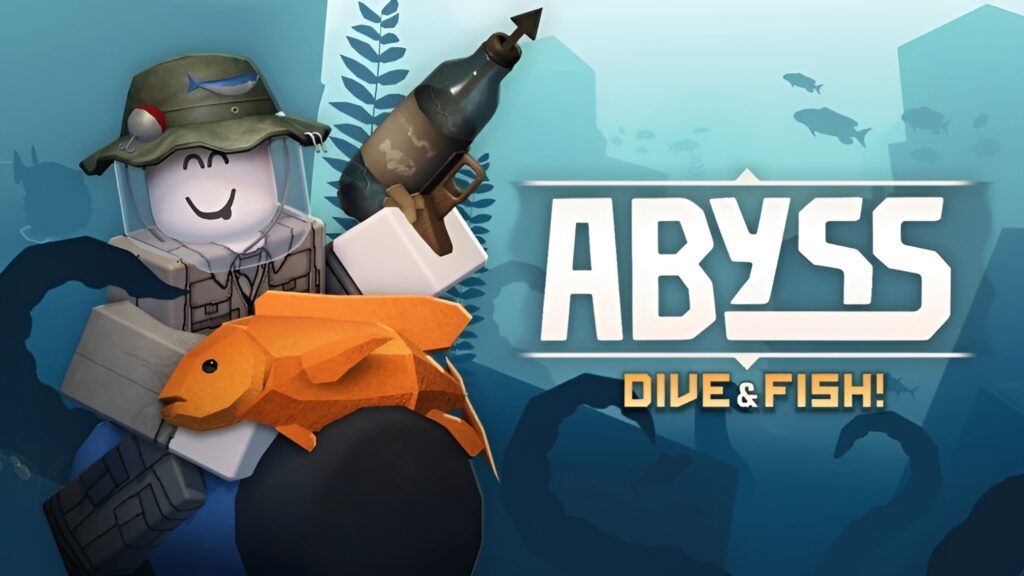
These are the working Roblox Abyss codes to use first. Enter them exactly as shown because Abyss codes are case-sensitive.
SPORE
Working Abyss Code
SORRYDELAY
Working Abyss Code
Quick Take: Redeeming both working Abyss codes gives a total of 600 Star Shards. If a page says SORRYDELAY gives 800 Star Shards, treat that as unverified unless the reward appears that way in your own game.
Abyss Codes Quick Reference
Use this table if you just want the current Abyss code list without the extra explanation. The working table is intentionally strict so you are not copying codes that are likely expired.
Working Abyss Codes Table
Copy the code exactly as written, then redeem it through the Settings menu in Roblox Abyss.
| Code | Reward | Status | Notes |
|---|---|---|---|
| SPORE | 400 Star Shards | Working | Best active reward in the current list. |
| SORRYDELAY | 200 Star Shards | Working | Enter in all caps to avoid a code error. |
| FISHPOND | 500 Star Shards, 2x Octapus Feed | Previously Available | Not listed as working here because current sources conflict. Test it only after redeeming the two working codes above. |
How To Redeem Abyss Codes In Roblox
Code redemption in Abyss is tucked into the Settings menu. Finish the opening tutorial first, then use the steps below.
Launch Abyss On Roblox
Open Abyss from Roblox and load into the game normally.
Finish The Opening Tutorial
If your account is new, complete the early Kraken tutorial section before trying to redeem codes.
Open The Settings Menu
Click or tap the cog icon near the top-left side of the screen to open Settings.
Scroll To The Codes Box
Move to the bottom of the Settings menu until you see the code entry field.
Enter The Code And Press Redeem
Paste SPORE or SORRYDELAY into the box, press Redeem, and check that the reward appears on your account.
What Abyss Codes Give You
The current active Abyss codes give Star Shards. Earlier codes also gave potions, oxygen items, event tickets, and feed items, which is why older code tables can look confusing if they are not updated.
In Abyss, Star Shards are especially useful because they help with race reroll progression. That makes the current 600 Star Shard total worth claiming even if you are not planning to spend it immediately.
Star Shards
The main reward from current working Abyss codes. Save them if you are not sure what to spend on yet.
Potions
Older codes have included temporary boost items like Speed, Strength, Love, and Drop Luck potions.
Oxygen Pods
Launch rewards included Small Oxygen Pods, which helped with early diving and survival.
Feed Items
FISHPOND previously rewarded Octapus Feed, but it is not safe to treat as a working May code.
Abyss Star Shard Calculator
Use this quick calculator before redeeming the May 2026 Abyss codes. It only adds the two working code rewards listed above, so it does not assume FISHPOND will work.
Enter your current amount before redeeming codes.
SPORE plus SORRYDELAY.
This does not include old or uncertain codes.
Expired Abyss Codes And Previously Available Rewards
Expired Abyss codes are still useful for fact-checking because they show which rewards were real in past updates. They should not be placed in the working code table unless they redeem successfully in-game again.
SPORE
400 Star Shards
WorkingSORRYDELAY
200 Star Shards
WorkingFISHPOND
500 Star Shards, 2x Octapus Feed
Previously AvailableMONKE
200 Star Shards, 1 Strength Potion
ExpiredLOVE
10 Valentines Tickets, 1 Love Potion
ExpiredBUGFIX01
100 Star Shards, Drop Luck Potion, Speed Potion
ExpiredRELEASE
100 Star Shards, 5 Small Oxygen Pods, 1 Speed Potion
ExpiredFISHPOND Note: Some code pages still show FISHPOND as active, while cleaner current lists place it outside the working set. You can try it after the two active codes, but do not rely on it for the May 2026 working list.
Why Your Abyss Code Is Not Working
Abyss codes usually fail for one of five reasons: the code expired, it was typed incorrectly, the tutorial is not finished, the code was already used, or the game server has not refreshed properly.
Check Capitalization First
The active Abyss codes are written in all caps. Copying the code directly is safer than typing it by hand, especially on mobile.
Finish The Tutorial Before Redeeming
If the code box is missing or the Settings menu does not show redemption yet, finish the opening tutorial and try again. New accounts may not be able to redeem Abyss codes immediately.
Rejoin A Fresh Server
If a new Abyss update just dropped, a server can lag behind. Rejoining the game is a quick way to rule out a stale server before assuming a code is broken.
How To Find New Abyss Codes Safely
Most Roblox Abyss codes appear around updates, bug fixes, events, or community milestones. There is no reliable fixed schedule, so the best approach is to check official community channels first, then compare any new code against recent in-game confirmations.
Abyss Code Source Checklist
Use this before adding a new code to a live article.
| Source Type | Trust Level | What To Check |
|---|---|---|
| Official Discord Or Game Announcements | Highest | Look for the exact code text, reward, and update context. |
| In-Game Test | Highest | Redeem on a fresh account or confirm the reward appears after pressing Redeem. |
| Recent Code Pages | Medium | Compare update dates and avoid pages that keep every old code in the active table. |
| Uncredited Social Posts | Low | Do not publish unless the code is confirmed in-game or by an official channel. |
Why Abyss Codes Matter For Progression
Abyss is not just a simple fishing game. The loop is built around diving underwater, catching fish, feeding the Kraken, improving your equipment, and pushing into more dangerous areas. Free rewards help because every upgrade or reroll choice can reduce the early grind.
Star Shards are the headline reward right now. Even if you do not spend them immediately, claiming the current working Abyss codes gives you more flexibility when you decide how to build your character.
Should You Spend Star Shards Immediately?
Should You Try Expired Codes Anyway?
Do Abyss Codes Give Robux?
How To Avoid Bad Abyss Code Lists
The biggest problem with Roblox code pages is not missing a new code. It is leaving expired codes in the active table long after they stop working. That is how players end up copying five old codes before finding the two that actually redeem.
A clean Abyss codes list should separate working, expired, and uncertain codes. If a page shows every historical code as active, or claims a reward amount that no other current source matches, treat it as a starting point for testing rather than a finished answer.
Good Rule: If a code appears on one page but not on recent clean lists, put it in a “try manually” bucket. That keeps the article useful without pretending an uncertain code is confirmed.
Playing Abyss Smoothly On PC
Free codes help your account, but they will not fix a game that hitches every time the world loads. If Roblox starts freezing during dives, a quick check for PC stuttering in games can separate performance problems from actual game issues.
Abyss also feels better when your FPS stays consistent instead of bouncing around. Using a practical good FPS for gaming target is more useful than chasing a number your PC cannot hold during busy areas.
If your whole system feels heavy while Roblox is open, basic PC optimization for gaming can help reduce background load before you start blaming the game or your connection.
Conclusion
The best Abyss codes for May 2026 are SPORE for 400 Star Shards and SORRYDELAY for 200 Star Shards. Redeem both through the Settings menu after completing the tutorial, and save the Star Shards until you know where they fit into your progression.
Older codes like RELEASE, BUGFIX01, LOVE, MONKE, and FISHPOND belong outside the working table unless they redeem again in-game. That keeps the list clean, useful, and honest for players who just want the rewards without guessing.
Optimize Your Whole PC With Hone
If you want a cleaner, more consistent gaming experience without constant manual tweaking, Hone can help optimize performance across your system.
Try Hone FreeFAQ
What Are The Working Abyss Codes For May 2026
The working Abyss codes for May 2026 are SPORE for 400 Star Shards and SORRYDELAY for 200 Star Shards. Redeem both exactly as written because Abyss codes are case-sensitive.
How Do I Redeem Codes In Abyss
Launch Abyss on Roblox, finish the opening tutorial, click the cog icon to open Settings, scroll to the Codes box, enter the code, and press Redeem. If the code is active, the reward should be added to your account.
Why Is My Abyss Code Not Working
Your Abyss code may not work because it expired, was typed incorrectly, has already been redeemed, or your account has not completed the tutorial. Copy the code exactly, rejoin a fresh server, and try the working codes before testing older ones.
Is FISHPOND A Working Abyss Code
FISHPOND is not listed as a confirmed working May 2026 code here because current sources conflict. It previously rewarded 500 Star Shards and 2x Octapus Feed, so you can test it manually, but do not rely on it as an active code.
What Does SPORE Give In Abyss
SPORE gives 400 Star Shards in Abyss. It is the highest value working code in the current May 2026 list.
What Does SORRYDELAY Give In Abyss
SORRYDELAY gives 200 Star Shards in Abyss. Enter it in all caps to avoid a case-sensitive code error.
Do Abyss Codes Expire
Yes. Abyss codes can expire without much warning, especially after updates or events end. Redeem working codes as soon as possible and keep expired codes separate from the active table.
Do Abyss Codes Give Robux
No. Abyss codes give in-game rewards like Star Shards and older event items. They do not give free Robux.




 Youtube