

Roblox on Nintendo Switch sounds like it should exist. The Switch is portable, Roblox is free to play, and both are popular with younger players. That is exactly why the search results around this question are full of confusing answers, fake shortcuts, and similarly named games.
The answer is simple: Roblox is not officially available on Nintendo Switch. You cannot download Roblox from the Nintendo eShop, and there is no official Roblox Switch app for Nintendo Switch, Switch Lite, Switch OLED, or Switch 2.
No Official Nintendo Switch App
There is no official way to download Roblox on Nintendo Switch. The correct route is to use Roblox on a supported device, then sign in with your Roblox account there.
Is Roblox On Nintendo Switch? The Official Answer
No, Roblox is not on Nintendo Switch. That means there is no official Roblox Nintendo Switch download, no Roblox Nintendo eShop page, and no Switch-specific Roblox app to install.
Roblox points players toward App Store, Google Play, PlayStation, Xbox Store, Meta Quest, Microsoft Store, Amazon Store, and Galaxy Store on its download page. Nintendo Switch is not listed there.
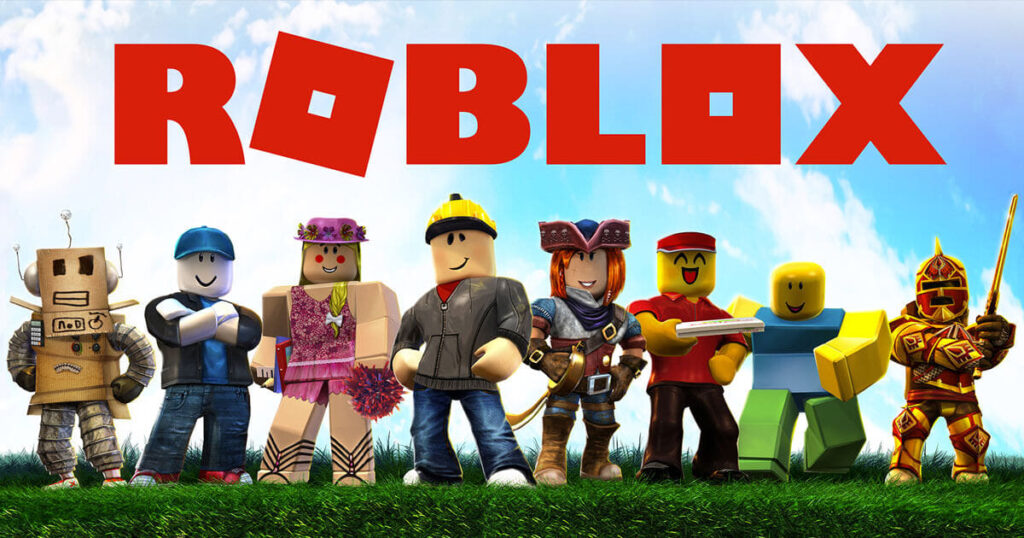
The same answer applies to Nintendo Switch Lite, Nintendo Switch OLED, and Nintendo Switch 2. The hardware model does not change the platform list. If you only have a Switch, you cannot install Roblox on that Switch through an official method.
You cannot get Roblox on Nintendo Switch officially. To play Roblox, use a supported device such as a PC, Mac, iPhone, iPad, Android device, Xbox, PlayStation, or Meta Quest headset.
Can You Download Roblox From The Nintendo eShop?
No. Searching for Roblox on the Nintendo eShop does not give you an official Roblox app. This is where many people get confused, because Nintendo does have a game called Robox.
Robox is not Roblox. Nintendo describes Robox as a fast action fighting game with boxing-style rounds. Roblox is a user-created experience platform where players join millions of different experiences. The names look close, but they are completely different products.
| What You See | What It Actually Means | Safe Action |
|---|---|---|
| Roblox | No official Nintendo Switch app is available. | Do Not Hunt For A Hidden Download |
| Robox | A separate fighting game on Nintendo Switch, not Roblox. | Do Not Confuse The Name |
| Roblox Gift Cards | Gift cards can relate to a Roblox account, but they do not install Roblox on Switch. | Use Only On Supported Platforms |
| Roblox Download Codes | There is no official Roblox Switch download code to redeem. | Avoid Random Code Sites |
How To Get Roblox If You Own A Nintendo Switch
The honest “how to get it” answer is this: you cannot get Roblox on the Switch itself, but you can get Roblox on another supported device. If you already have a Roblox account, sign in on that supported device and continue from there.
Use the picker below to choose the device you actually have. It gives you the legitimate install path instead of pretending there is a secret Switch method.
Pick your device and use the official route. Nintendo Switch is included so the difference is obvious.
Nintendo Switch
There is no official Roblox app for Nintendo Switch. Do not look for a hidden eShop listing, DNS trick, browser shortcut, or Switch-only installer.
Stop searching for a Switch download. The official Roblox platform list does not include Nintendo Switch.
Choose another supported device from this picker.
Install Roblox from the official store or Roblox website on that device.
Windows PC Or Mac
On PC and Mac, the browser launches the Roblox Player installer. Go to Roblox, log in, open an experience, then press the green Play button. Roblox Support explains this process in its install guide.
Go to Roblox in a supported browser such as Chrome, Firefox, Microsoft Edge, or Safari on Mac.
Open any Roblox experience and select Play.
Follow the Roblox Player install prompt, then launch the experience again.
iPhone, iPad, Android, Or Fire Tablet
Mobile is the closest official handheld replacement for Roblox on Switch. Roblox requires iOS or iPadOS 13 or higher on Apple devices, and Android 8.0 or higher with OpenGL ES 3.0 support on Android devices.
Install Roblox from App Store, Google Play, Galaxy Store, or Amazon Store, depending on your device.
Sign in with your Roblox account.
Use Roblox parental controls and store purchase controls before handing the device to a child.
Xbox
Roblox is available through the Xbox Store. It is a good choice if you wanted Roblox on the TV instead of handheld mode.
Open the Xbox Store and search for Roblox.
Install the free Roblox app from the store listing.
Log in with a Roblox username and password. Some account actions are easier from PC or mobile.
PlayStation 4 Or PlayStation 5
Roblox is available on PS4 and PS5 in select countries. Roblox Support says to find Roblox in the PlayStation Store, add it to your library, and use Quick Login from a computer or phone.
Open PlayStation Store and search for Roblox.
Select Roblox, add it to your library, and download it.
Start Roblox from Game Library and sign in using Quick Login.
Meta Quest
Roblox supports Meta Quest 2, Meta Quest Pro, and Meta Quest 3. Install it from the Quest Store, then sign in with Quick Login from a computer or phone.
Make sure the headset software is up to date.
Search for Roblox in the Quest Store and install it.
Use Quick Login with an existing Roblox account.
Why The Hidden Browser Trick Does Not Fix Roblox On Switch
Most fake Roblox Switch guides lean on the same idea: open a hidden browser, visit Roblox, and somehow play from there. That is not how Roblox works on PC or Mac, and it is not a Switch solution.
On supported computers, the browser is mostly a launcher. You open an experience, press Play, and Roblox installs or launches the Roblox Player. The Switch does not have an official Roblox Player app, so a browser page alone does not become the game.
This is also why DNS videos are misleading. A DNS change can sometimes open a limited web page on a console, but it does not add a missing Roblox app to the eShop and it does not install a supported Roblox Player build.
Roblox On Nintendo Switch Workarounds What Is Real And What Is Not
There are plenty of Roblox Switch “methods” online. Most of them are not actually Roblox running on Switch. They either show another device running Roblox, a web page that cannot launch the game, or a risky modification route that is not an official install method.
Can You Use The Nintendo Switch Browser To Play Roblox?
Can You Change DNS To Unlock Roblox On Switch?
Can You Install A Roblox APK On Nintendo Switch?
Does Streaming Roblox To A Switch Count?
Can Homebrew Or Modding Make Roblox Official?
Is Roblox Coming To Nintendo Switch?
There is no official Roblox Nintendo Switch release date. Roblox could come to more platforms in the future, but a possible future launch is not the same thing as a confirmed Switch version.
The safest way to track this is boring but reliable. Check Roblox’s download page, Roblox’s official newsroom, Nintendo’s store, and Roblox support articles. If Roblox on Switch becomes real, it should appear through official Roblox or Nintendo channels, not as a YouTube DNS trick.
Do not treat platform speculation as buying advice. If the main reason you want a Switch is Roblox, buy or use a supported Roblox device instead.
Roblox already runs on several consoles and mobile devices, so a Switch version feels plausible to many players. That does not make it available today. Until Roblox or Nintendo publishes an official listing, the answer stays no.
Best Way To Play Roblox With A Switch-Like Setup
If you wanted Roblox on Switch because of portability, use a phone or tablet. If you wanted Roblox on Switch because of TV play, use Xbox or PlayStation. If you wanted something more experimental, use Meta Quest for VR experiences.
A Windows handheld can also be a practical option because it is still a Windows PC, but the important part is the operating system. Roblox officially supports 64-bit Windows 10 and Windows 11, not Linux. That matters if you are comparing gaming handhelds.
| Your Goal | Best Supported Route | Why It Makes Sense |
|---|---|---|
| Handheld Roblox | Phone Or Tablet | It is portable, official, and available through normal mobile app stores. |
| TV Roblox | Xbox Or PlayStation | You get console play without pretending the Switch has a Roblox app. |
| Keyboard And Mouse Roblox | Windows PC Or Mac | The Roblox Player install flow is built around supported computers. |
| VR Roblox | Meta Quest | Roblox has an official Quest app for supported Quest headsets. |
| Only Nintendo Switch | No Official Route | You need another device or a different Switch game. |
Roblox Alternatives On Nintendo Switch
No Switch game is a one-to-one Roblox replacement. Roblox is a full user-generated experience platform, not a single game. Still, a few Nintendo Switch games cover parts of what people usually want from Roblox: building, playing with friends, creator-made content, or silly multiplayer chaos.
The best Switch pick for sandbox building, survival, and creative play. Nintendo describes it as a game where you can build anything you can imagine.
The best pick for creator-made islands and social multiplayer. It is not Roblox, but the creator ecosystem scratches a similar itch for some players.
A good choice for fast multiplayer and player-made obstacle courses, especially if the Roblox appeal is chaotic party play.
A better fit for learning how games are built. It focuses on guided visual programming instead of Roblox-style online discovery.
For a Roblox-like building game on Switch, start with Minecraft. For creator-made multiplayer islands, Fortnite is the closest mainstream comparison. For party courses, Fall Guys is easier to jump into. For actual game-making lessons, Game Builder Garage makes more sense.
Before You Install Roblox On Another Device Parent And Account Setup
Many people ask about Roblox on Nintendo Switch because they are setting up a device for a child. If you move to a supported phone, tablet, PC, Xbox, PlayStation, or Quest headset, do the account setup first. That matters more than the device.
Roblox lets parents manage content maturity, chat and connections, screen time, and spending through parental controls. The exact settings live inside Roblox and can be managed after linking a parent account to a child account.
Choose the maturity level that fits the child instead of assuming every experience is appropriate.
Review communication and connection settings before the first play session.
Use Roblox controls and device-level controls together if time limits matter.
Set monthly limits and purchase notifications before buying Robux.
That setup is especially important if the child originally expected a closed console experience like Switch. Roblox is broader and more social than a normal single game, so it deserves a few minutes of safety setup before play.
Roblox Download Problems On Supported Platforms
If Roblox will not install on a supported device, treat it like a device problem, not a Switch problem. The fix depends on where you are installing it.
| Platform | Common Issue | What To Check |
|---|---|---|
| Windows PC | Roblox Player does not open after pressing Play. | Use a supported browser, reinstall Roblox Player, and confirm the PC meets Roblox requirements. |
| Mac | Browser asks which app should open Roblox links. | Select Roblox.app and allow the browser to remember the choice. |
| iPhone Or iPad | The app does not appear or will not update. | Check that the device runs iOS or iPadOS 13 or higher. |
| Android | The app installs but runs poorly or is unavailable. | Check Android 8.0 or higher and OpenGL ES 3.0 support. |
| PlayStation | Cannot find Roblox or cannot sign in normally. | Availability can depend on country. Use Quick Login with a computer or phone. |
| Meta Quest | Cannot create an account directly in headset. | Use an existing Roblox account and Quick Login from a computer or phone. |
If you switch to a Windows PC and Roblox stutters, do not assume you downloaded the wrong thing. Background apps, weak hardware, unstable frame pacing, or overloaded memory can make any game feel broken. Before blaming Roblox, it is worth learning how to optimize your PC for gaming, deal with stuttering in games, and understand what counts as good FPS for gaming on your hardware.
The Bottom Line
Roblox is not on Nintendo Switch, and you cannot officially download it from the Nintendo eShop. Robox is not Roblox, browser and DNS tricks do not install the Roblox Player, and there is no Roblox Switch release date to plan around.
The right move is to use an officially supported device. For handheld play, use a phone or tablet. For TV play, use Xbox or PlayStation. For PC play, install Roblox Player through Roblox’s normal browser flow or the Microsoft Store. For VR, use a supported Meta Quest headset.
Frequently Asked Questions
Is Roblox on Nintendo Switch?
No. Roblox is not officially available on Nintendo Switch. There is no official Roblox Switch app, no Nintendo eShop download, and no Switch-specific install method.
Can you download Roblox from the Nintendo eShop?
No. Roblox does not have an official Nintendo eShop listing. If you see Robox, that is a different Nintendo Switch game and not Roblox.
Is Robox the same as Roblox?
No. Robox is a separate fighting game on Nintendo Switch. It is not Roblox, not a regional Roblox listing, and not a workaround for playing Roblox on Switch.
Can you play Roblox on Nintendo Switch Lite or Switch OLED?
No. Switch Lite and Switch OLED use the same Nintendo software ecosystem for this purpose. Since Roblox does not have an official Switch app, changing Switch models does not help.
Is Roblox on Nintendo Switch 2?
No official Roblox Switch 2 app is available. Roblox’s official platform list does not include Nintendo Switch or Switch 2.
How do I get Roblox if I only have a Nintendo Switch?
You cannot get Roblox on the Switch itself. Use a supported device instead, such as a PC, Mac, iPhone, iPad, Android device, Xbox, PlayStation, or Meta Quest headset.
Do browser or DNS tricks let you play Roblox on Switch?
No. Roblox requires a supported Roblox Player app. A browser page or DNS shortcut does not install Roblox on Nintendo Switch and does not create official platform support.
Is there a Roblox Nintendo Switch release date?
No official Roblox Nintendo Switch release date has been announced. If that changes, the safest sources to check are Roblox’s official download page, Roblox support, Roblox newsroom updates, and Nintendo’s store.
What is the closest Roblox alternative on Nintendo Switch?
Minecraft is the best Switch alternative for sandbox building. Fortnite is the closest option for creator-made islands and social multiplayer. Fall Guys works well for chaotic multiplayer courses, and Game Builder Garage is better for learning how to create games.


 Youtube